
Confluence setup part 2: connect your MAIA account with Atlassian
With this guide you can connect your personal Confluence/Atlassian account to MAIA.
-
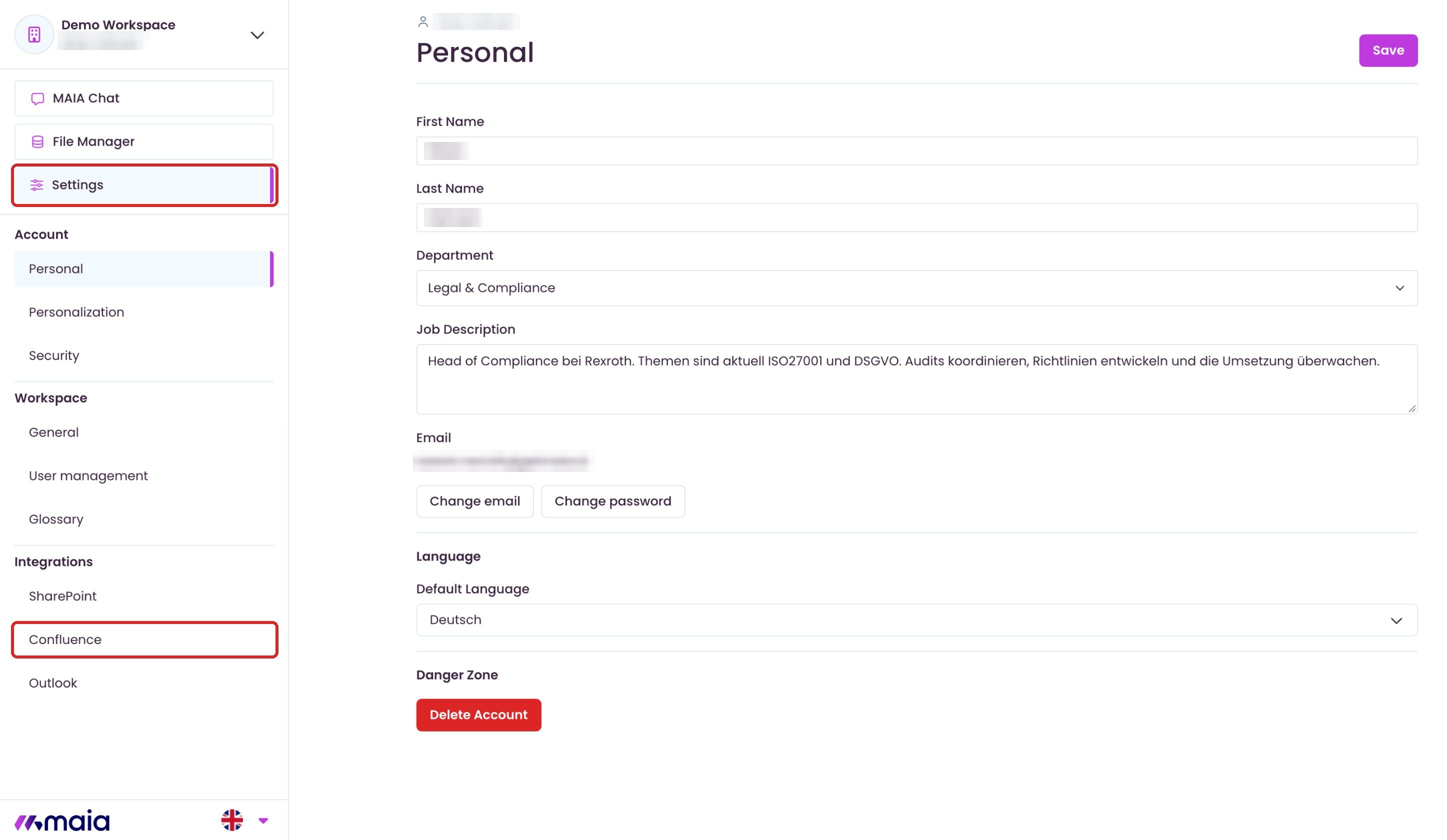
Navigate to the settings in MAIA.
-
If the “Confluence” tab is not visible, the Confluence integration feature has not yet been activated. In this case, please contact support at support@getmaia.ai.
- Select the Connect button.
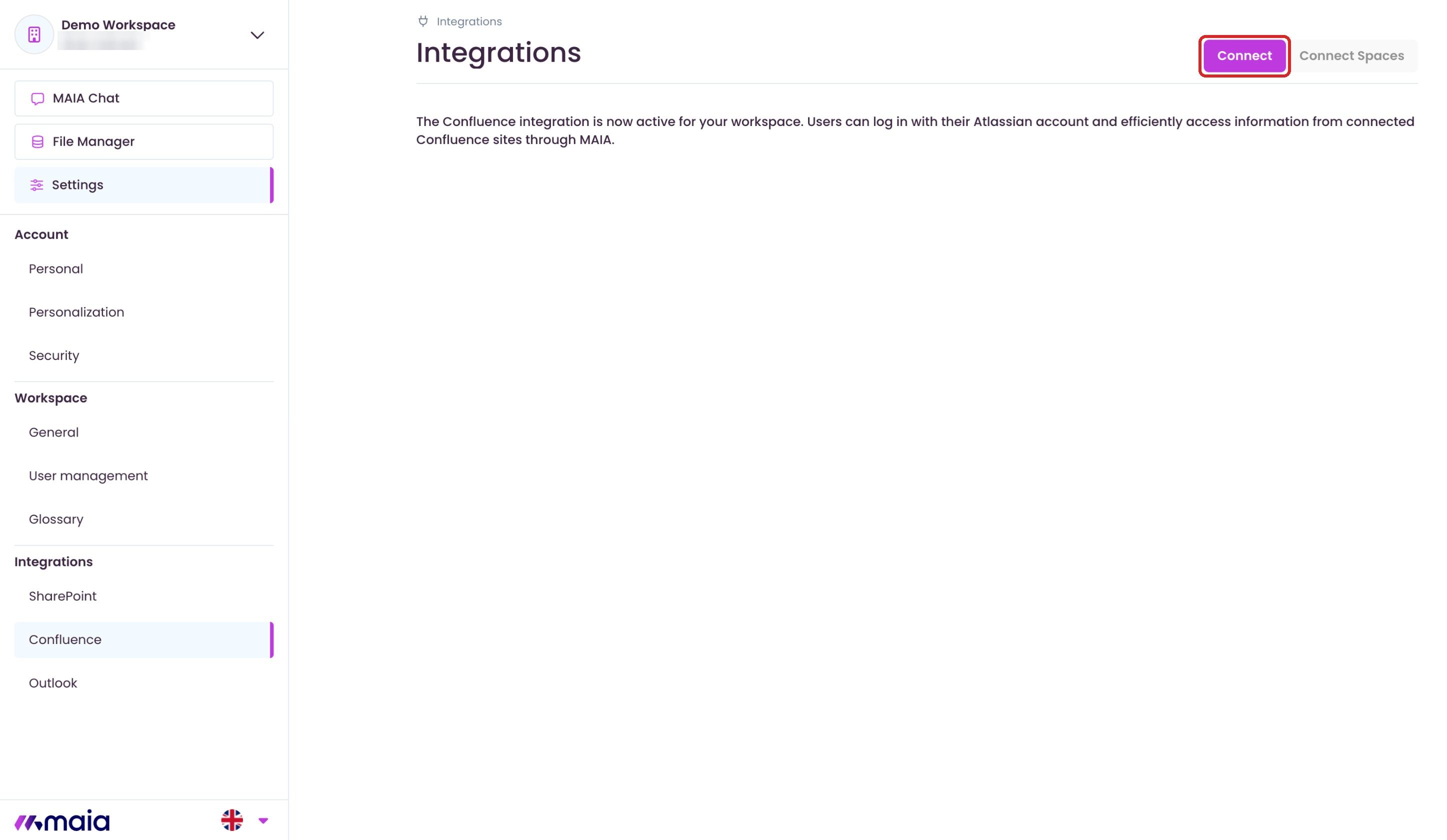
You will be redirected to Atlassian.
-
Select the organization you want to connect for.
-
Confirm the authorizations and click on Accept.
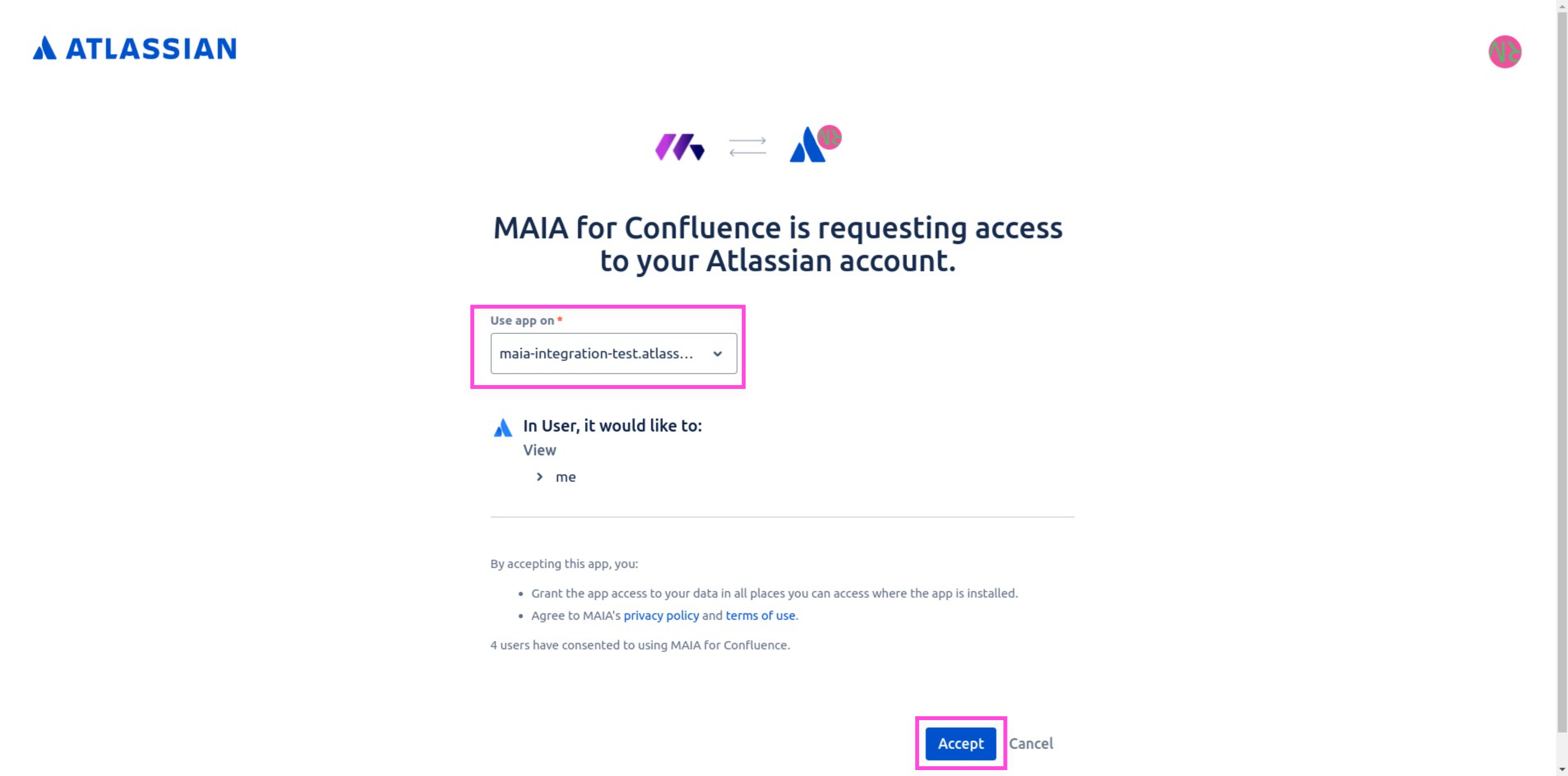
After confirmation, you will be redirected back to MAIA.
- Click on Connect Spaces to link Confluence Spaces with MAIA.
If no Spaces are displayed, this may have the following causes:
-
The MAIA for Confluence Connect App is not connected with your organization. See Confluence Setup Part 1.
-
The app has not yet synchronized any metadata. (MAIA synchronises Confluence once a day, overnight. New spaces therefore often appear only on the next day.)
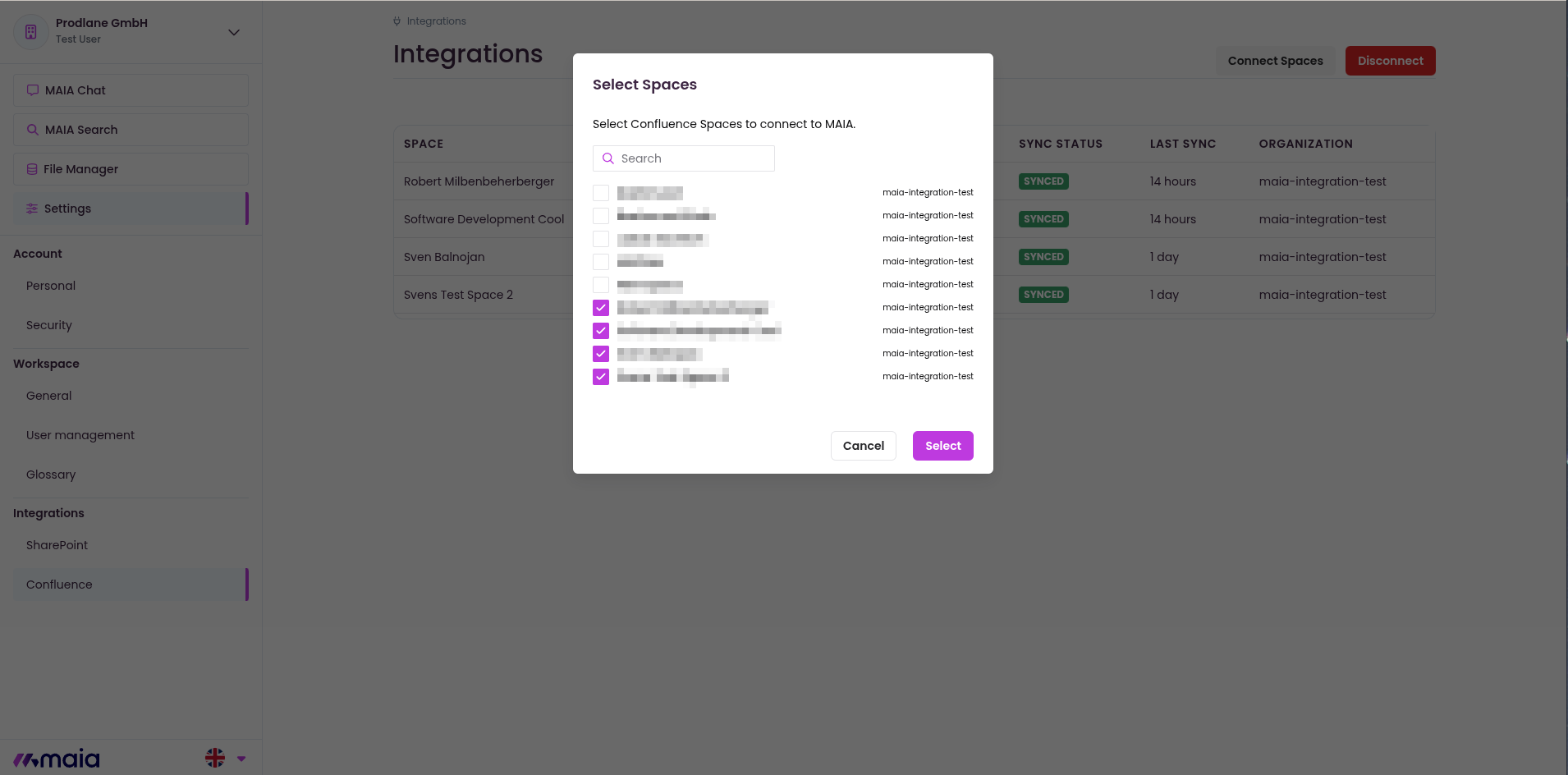
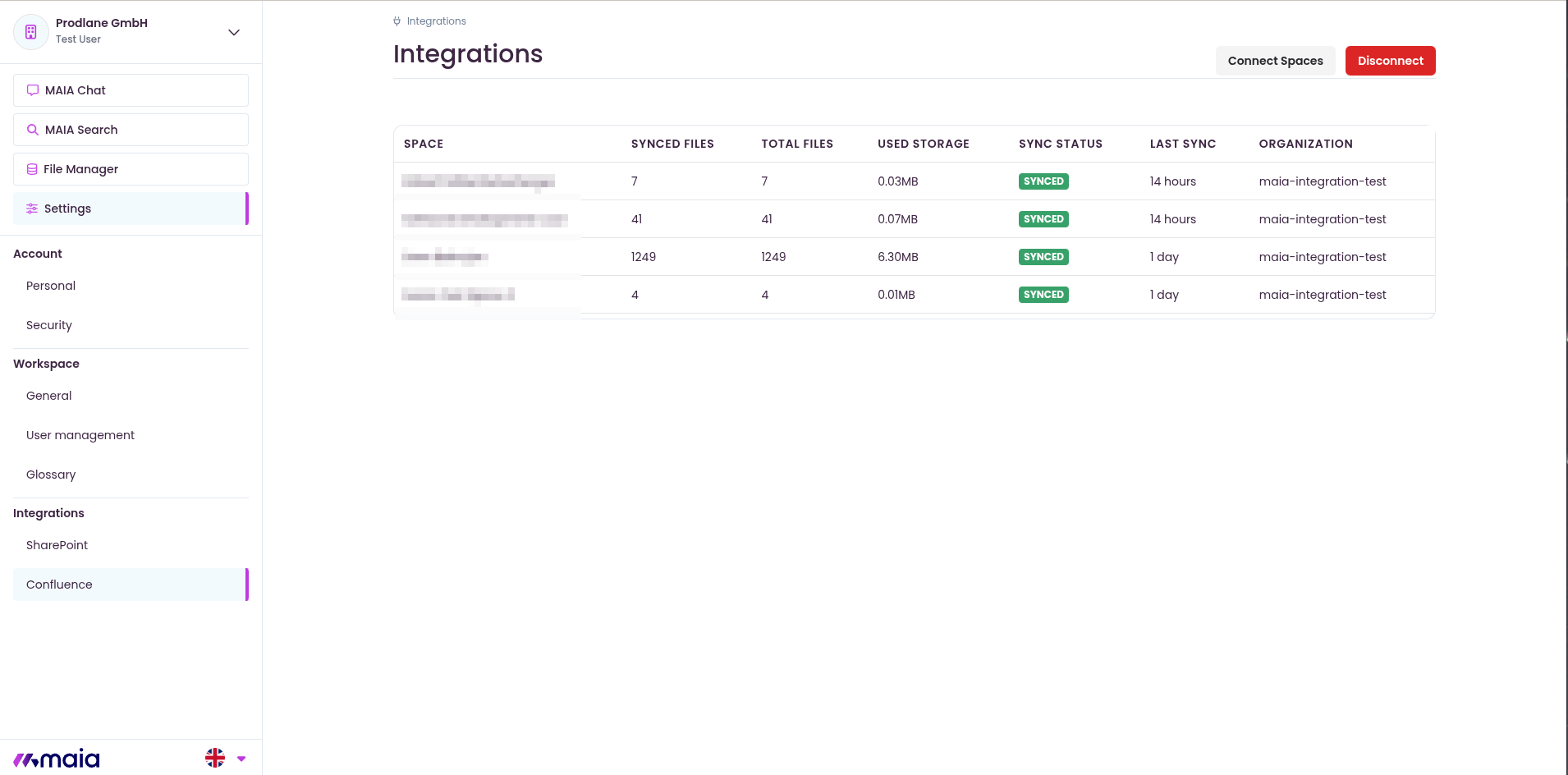
As soon as the Spaces have been successfully synchronized, you can use your Confluence data in MAIA.