

2.0 · New interface, Skills and connectors
MAIA in a new design, with Skills, connectors (MCPs) and a 7-day trial. · Published: November 13, 2026
MAIA 2.0 is finally available! MAIA has a new design, now works with Skills and connects external tools through connectors (MCPs). Here is an overview of everything that is new.
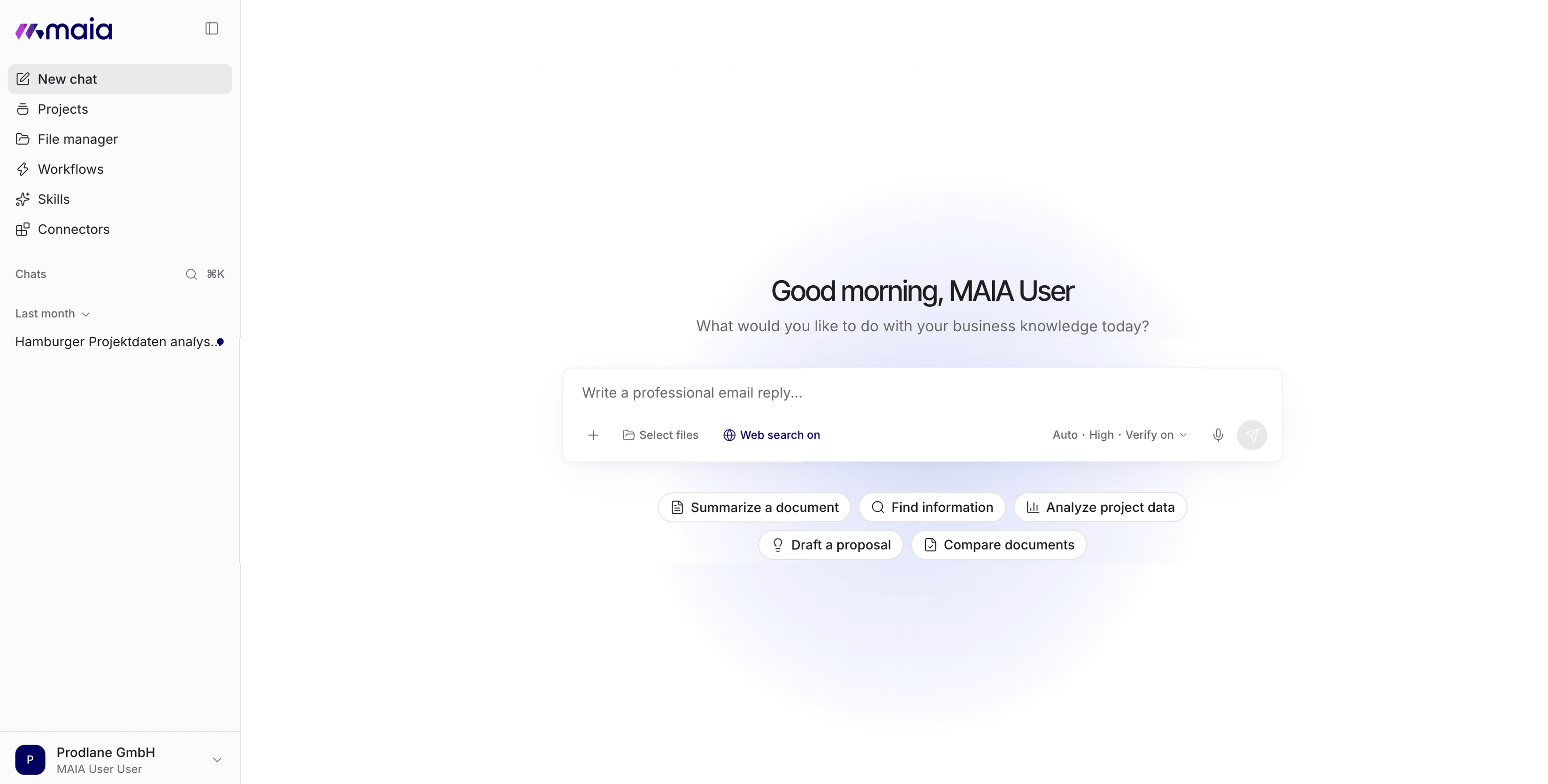
New interface
Section titled “New interface”MAIA has a new interface with a clearer design.
- Chats, Projects, Workflows and Skills are arranged more clearly and are quicker to reach.
- The features you know are still there, gathered in one place.
Skills
Section titled “Skills”Skills are saved capabilities that MAIA applies to suitable tasks.
- A skill bundles instructions, templates and expert knowledge for a particular kind of task.
- MAIA recognizes when a skill fits the request and applies it.
- Combined with Workflows, recurring tasks are done to the same standard every time.
You find your skills under “Skills” in the sidebar. Use “New skill” to create your own.

Connectors (MCPs)
Section titled “Connectors (MCPs)”With MCPs, MAIA works directly in the tools your team already uses. MCP stands for Model Context Protocol, an open standard for connecting AI and software.
- MAIA works with your existing access rights and asks before it sends or creates anything.
- Your admin decides which systems are connected and who may use them.
- Your admin can add more MCP servers by entering their URL.
To see which connectors are available to you, open “Connectors” in the sidebar and go to “Browse”.
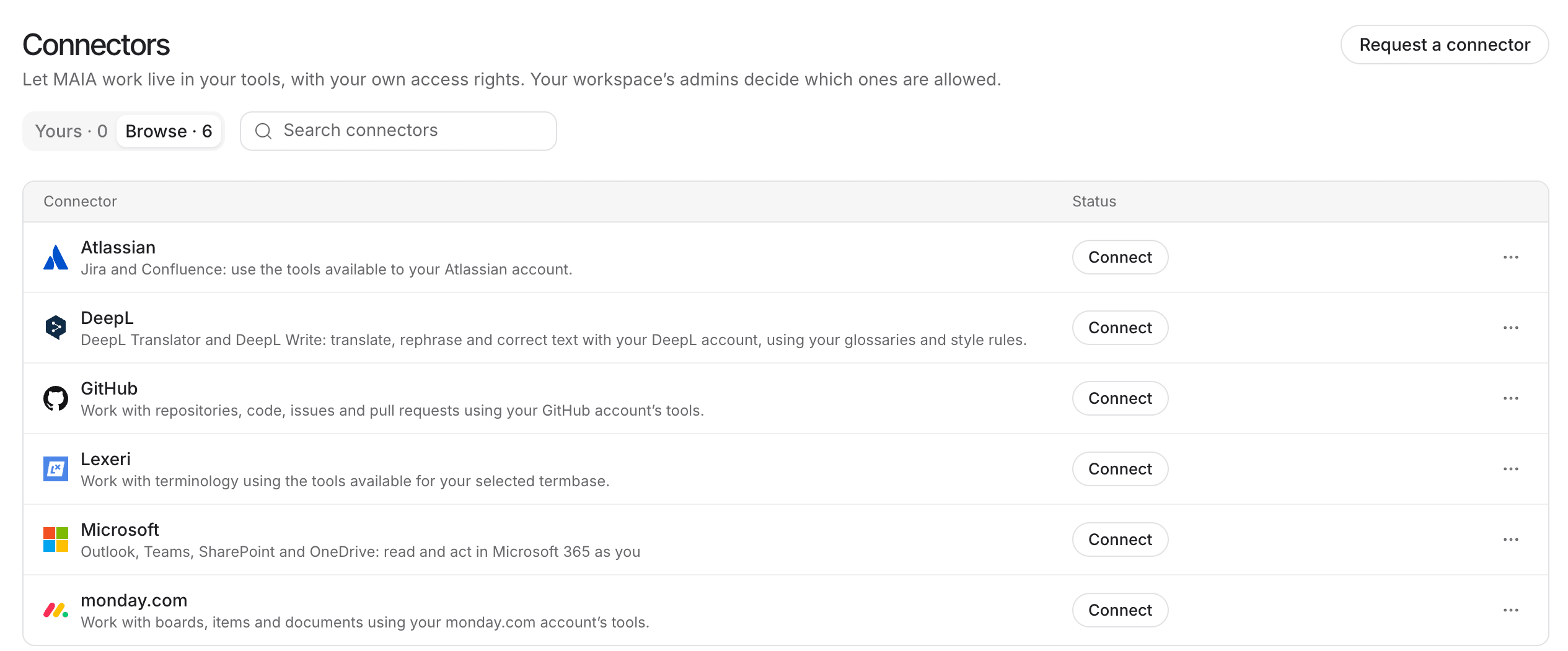
Note: SharePoint, Confluence and Outlook are still available as native integrations as well as through MCP.
7-day trial
Section titled “7-day trial”You can now try MAIA for seven days in self-service.
- The trial week is free of obligation and needs no credit card.
- You sign up directly on the website, without a call beforehand.
- It is suited to people or companies around you who do not know MAIA yet.
Earlier features
Section titled “Earlier features”Much of what came with the releases of the past few weeks is now a fixed part of MAIA 2.0 as well.
- ⚙️ Workflows save a task as a sequence of steps that you can run as often as you like. More about Workflows
- 📁 Projects are shared places for files and project knowledge. More about Projects
- 🤖 New models are available, all of them operated in the EU or Germany. More about the current models
- 🎛️ Personalization: in Custom Instructions, you set how MAIA should answer you.
- 🧠 Personal Memory: MAIA keeps short notes about you that carry over across all chats. More about personalization and Personal Memory
Further improvements
Section titled “Further improvements”We have also fixed minor bugs and improved stability.
Want to see which features are coming next? Take a look at our roadmap.
We look forward to hearing about your experience with MAIA 2.0. If you have questions or feedback, get in touch at support@getmaia.ai.
Live session on MAIA 2.0
Section titled “Live session on MAIA 2.0”In a live session, we show you MAIA 2.0 in practice and answer your questions.
📅 Friday, November 20, 2026, 11:00 to 11:45 a.m. (CET)
Afterwards, you will know:
- how the new interface is organized and where to find things,
- which new features MAIA 2.0 brings and what to use them for,
- how to use Skills, Workflows and Projects in your team.
Can't make it? Register anyway, and we will email you the recording afterwards.