

Skills
A Skill gives MAIA a reusable way of working: instructions, reference material and optional templates for a particular task.
A Skill gives MAIA a reusable way of working: instructions, reference material and optional templates for a particular task. Use one for your organization's writing style, a meeting follow-up method or a document-review checklist.
Find and use a Skill
Section titled “Find and use a Skill”Open Skills to browse your own, shared and workspace Skills. Open a Skill to read its description, instructions, files, owner and current state before using it.
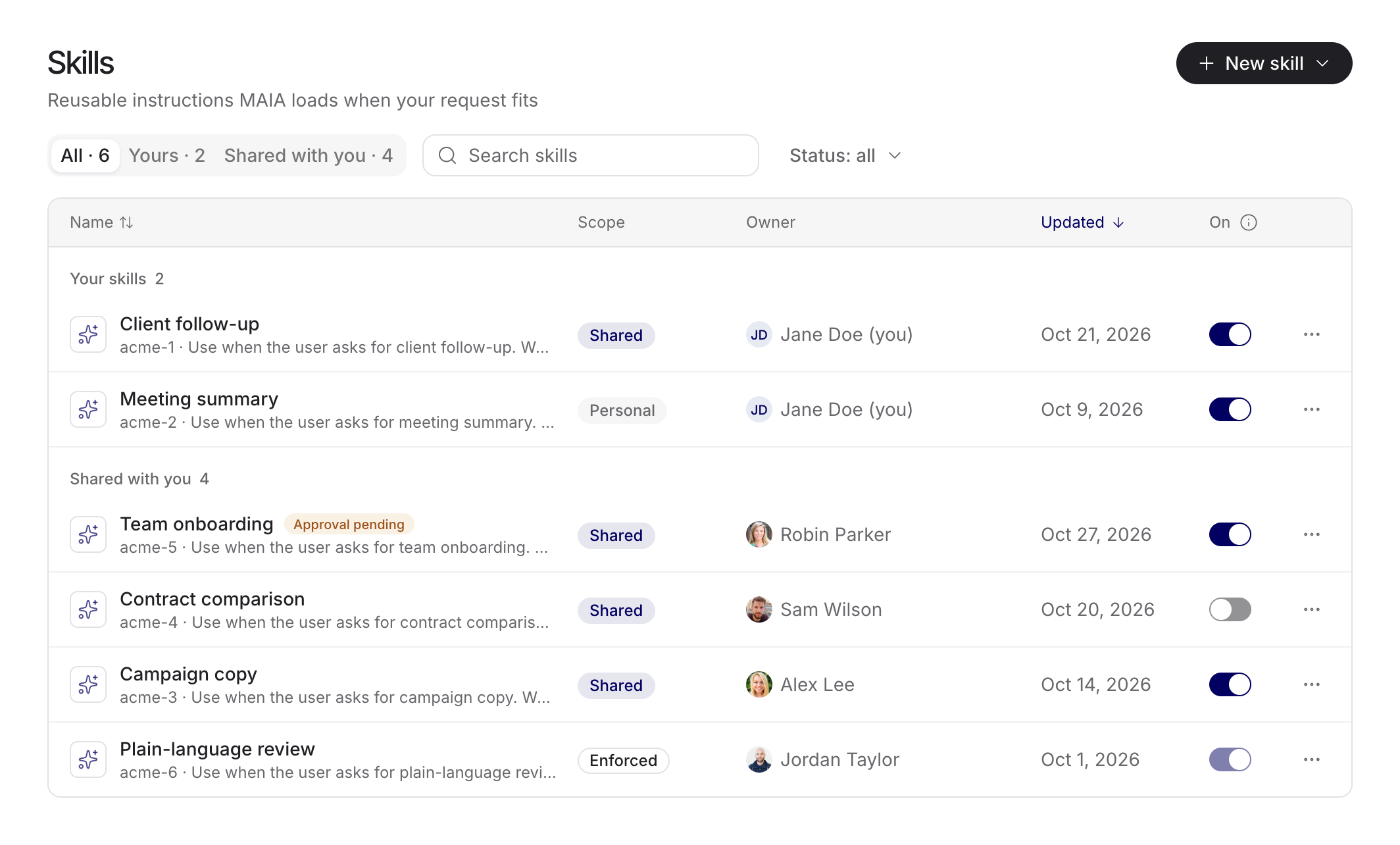
An active automatic Skill can be selected when its description matches your request. Use skill explicitly pins an eligible Skill to a chat. Its chip lets you inspect it or stop using it in that chat. Removing a pin returns to normal matching; it does not necessarily switch the Skill off globally.
Shared automatic Skills are on by default when a slot is available. You can switch optional Skills off. At the active limit, a newly available Skill stays off with an explanation; it does not silently replace another active Skill. Required workspace Skills follow the admin policy.
Create or import
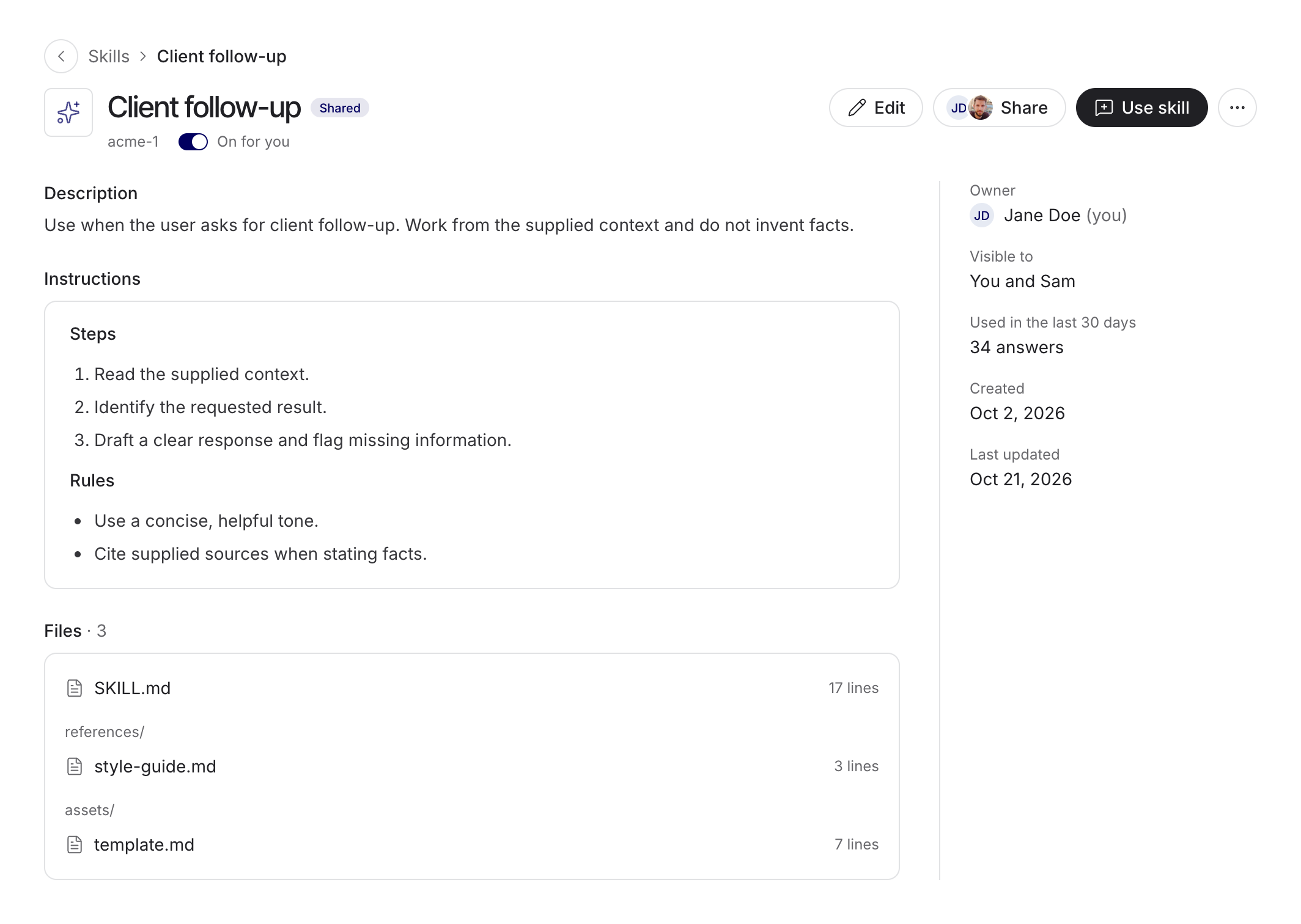
Section titled “Create or import”Choose New skill, then create with chat, create in the editor or upload a package. Describe what the Skill should do and when it should apply. In the editor, review SKILL.md, its name and description, the instructions and any supporting files.
Minimal file example
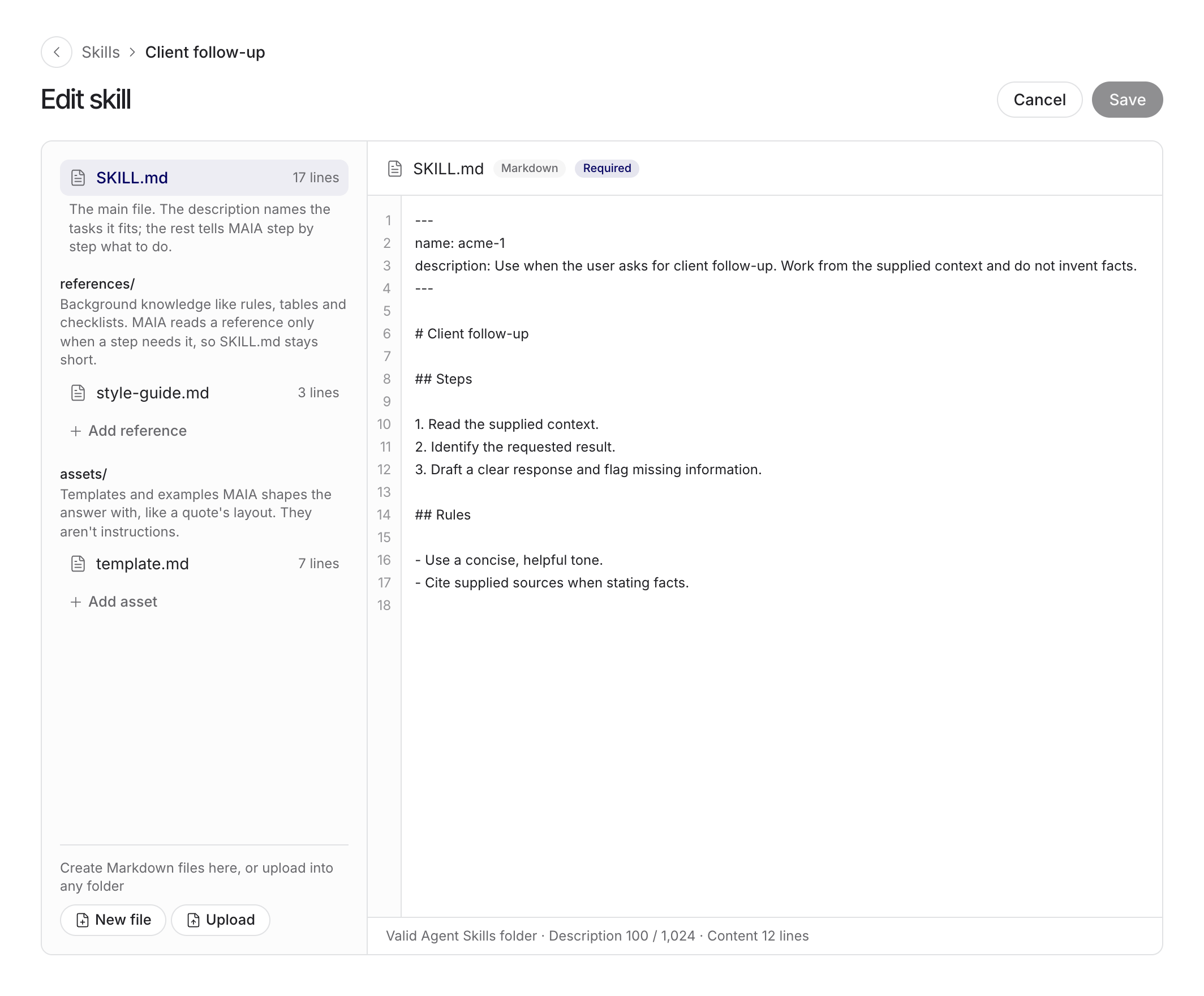
Section titled “Minimal file example”A simple SKILL.md can start with this structure. Use a specific description so matching requests are clear.
---name: client-follow-updescription: Draft a concise client follow-up from supplied meeting notes.---# Client follow-up
Read the supplied notes. List decisions, open questions and next steps.Do not invent owners, dates or commitments.
Save and check
Section titled “Save and check”You can import SKILL.md or a supported ZIP/.skill package containing one Skill. An import opens for review before saving. Files in references, assets or scripts belong to the package; support for a package format does not guarantee the same tools or execution behavior as another application.
Save the Skill and wait for its check to finish. A saved draft, a checked version and a published version are different states. Resolve any blocking issue before relying on the Skill. Test it on a relevant request and a request where it should not apply.
Share and update
Section titled “Share and update”Can view lets a recipient use and inspect the Skill. Can edit permits changes. Managers manage viewer/editor and group access; the owner appoints Managers and controls transfer and deletion.
Sharing includes the instructions and bundled files. Check for client information, credentials and confidential examples. It does not transfer access to an original external source or connected account.
Workspace-wide sharing requires admin approval of the exact checked version. Updates to workspace-wide or required Skills need a new approval. Recipients of a shared Skill receive published updates; a copy is independent. Optional off choices are retained across updates.
Check the result
Section titled “Check the result”A loaded-Skill indicator means its instructions were supplied, not that every instruction was followed correctly. Review the result and its sources. Skills cannot broaden file permissions, connector permissions or write approvals.
Use the Prompt Library for reusable prompt text and Workflows for a defined sequence of steps. Workspace governance is covered under Administer Skills.
Examples of useful Skills
Section titled “Examples of useful Skills”| Skill idea | Reusable instruction | Changing input |
|---|---|---|
| Client communication | Tone, structure and rules for unsupported commitments | Current call notes and proposal |
| Meeting follow-up | Separate decisions, open questions and next steps | Each meeting record |
| Plain language | Explain technical terms while preserving claims | The text to revise |
For a client communication Skill, you might add: “Produce the draft first, followed by a separate list of unresolved facts. Take prices and dates only from the supplied sources. Do not send the message.” The Skill defines the method; client facts and current commitments belong to the particular task.
Test before sharing
Section titled “Test before sharing”Test an ordinary case, a missing fact and conflicting sources. Then try a request where the Skill should not apply. This checks both method quality and whether its description matches too broadly.
Have another person test with their own access. A useful Skill explains required inputs and exposes gaps. It does not assume everyone can access its author's files. Record important cases with the evaluation templates.