
Administer Skills
Workspace admins govern shared and required Skills. Personal authoring and use are described in Skills. Being an admin does not grant unrestricted access to another person's private Skills.
Workspace admins govern shared and required Skills. Personal authoring and use are described in Skills. Being an admin does not grant unrestricted access to another person's private Skills.
Review a publication request
Section titled “Review a publication request”- Open Workspace settings → Skills and the pending request.
- Read the exact checked version, including its description, instructions and bundled files.
- Review check results, intended audience, data exposure and any tool-related instructions.
- Approve that version or reject it with a useful reason.
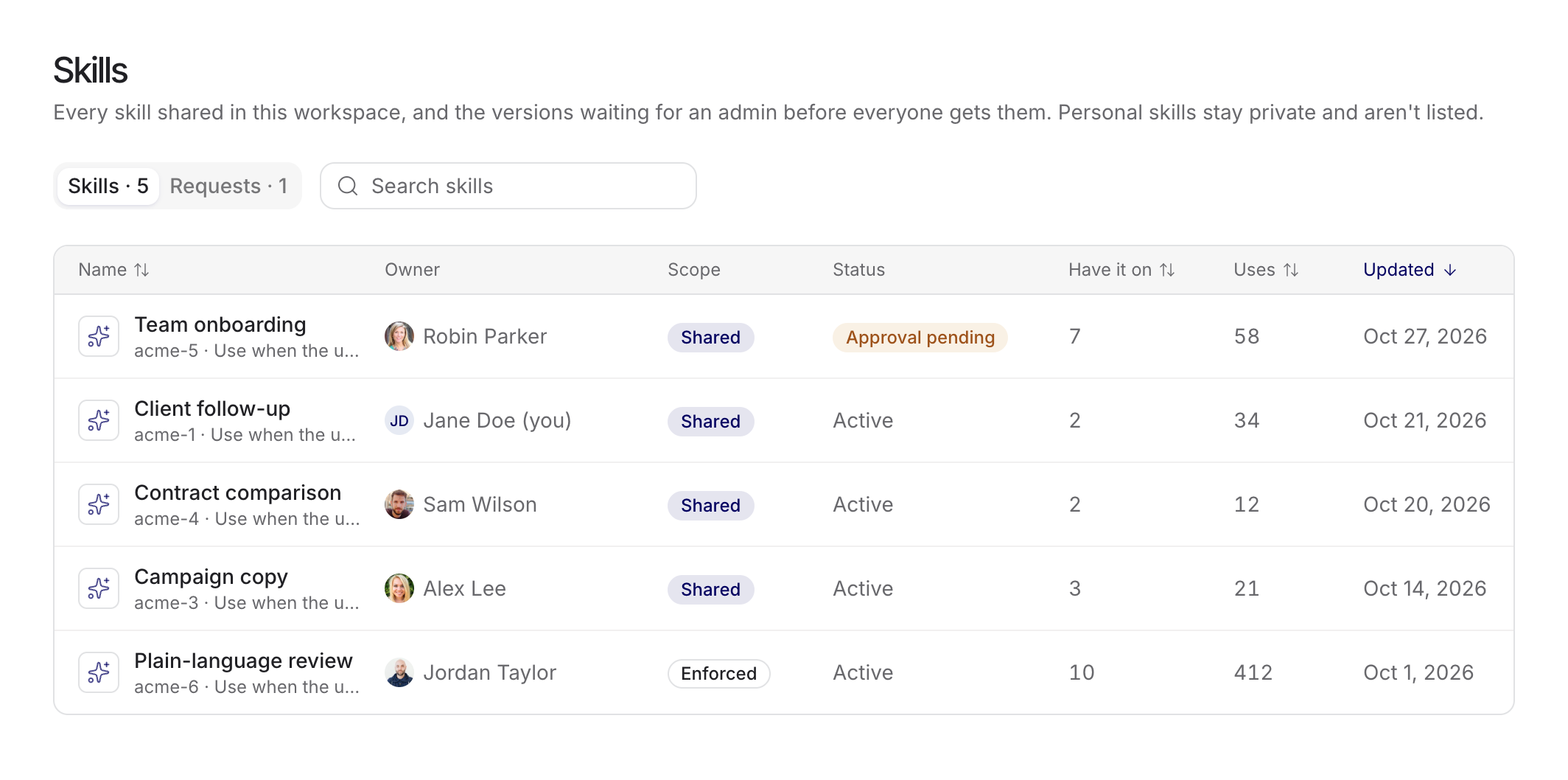
Workspace-wide publication and required activation need explicit approval. An admin author can explicitly approve their own checked version. Later edits to a workspace-wide or required Skill require another check and approval; approval of an earlier version is not blanket approval of future changes.
Manage required and optional use
Section titled “Manage required and optional use”Ordinary shared automatic Skills default on within each recipient's available capacity. Recipients can disable optional Skills, and their off choices survive updates. Required Skills remain active under the confirmed policy and are accounted for separately from optional capacity.
Explain why a Skill is required and keep its purpose narrow. A required Skill still cannot bypass document access, connector authorization or action confirmation. Test both matching and non-matching requests before broad publication.
Roles and ownership
Section titled “Roles and ownership”Owners appoint or remove Managers and may transfer or delete the Skill. Managers can edit and manage named viewer/editor or group access. Shared-skill admin governance can review access and revoke inappropriate shared access, including a Manager's individual access, without becoming the owner of private Skills.
Admins can reassign a reusable Skill during offboarding. The new owner receives its instructions and bundled files, not the previous owner's private chats or connected accounts. Before removing a member, review the warning about private items that would be deleted and arrange a deliberate handover.